SmartWorker
Un accompagnement opérationnel pour les équipes des usines de boissons. De la marche à suivre à la manière de l'exécuter avec constance.





















Navigator indique aux équipes où la performance est perdue. SmartWorker leur dit quoi faire pour y remédier. Il est construit directement sur les données en direct de Navigator et connecte l'intelligence de production en temps réel aux flux de travail structurés, à la gestion des tâches et à la communication d'équipe.
SmartWorker est conçu en fonction du fonctionnement réel des équipes en usine de boissons : par quart, par machine, par équipe. Chaque flux de travail, chaque alerte et chaque recommandation est lié aux données de production en direct.
Tableau de bord et chronologie IFA
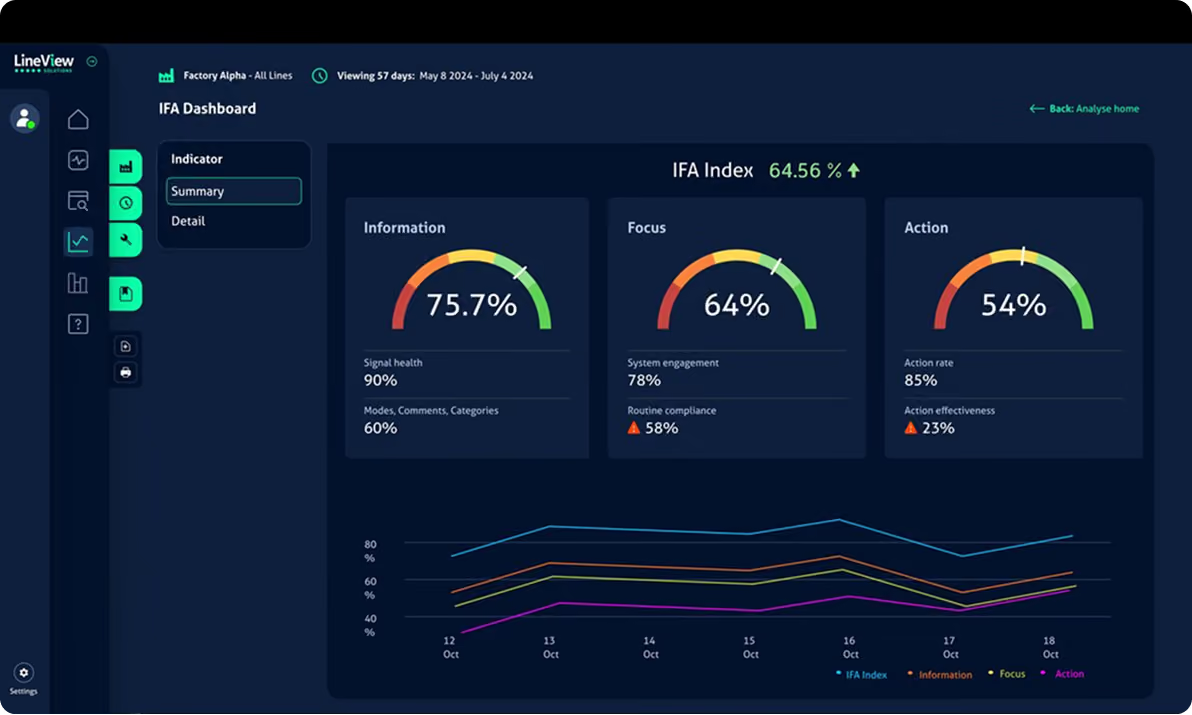
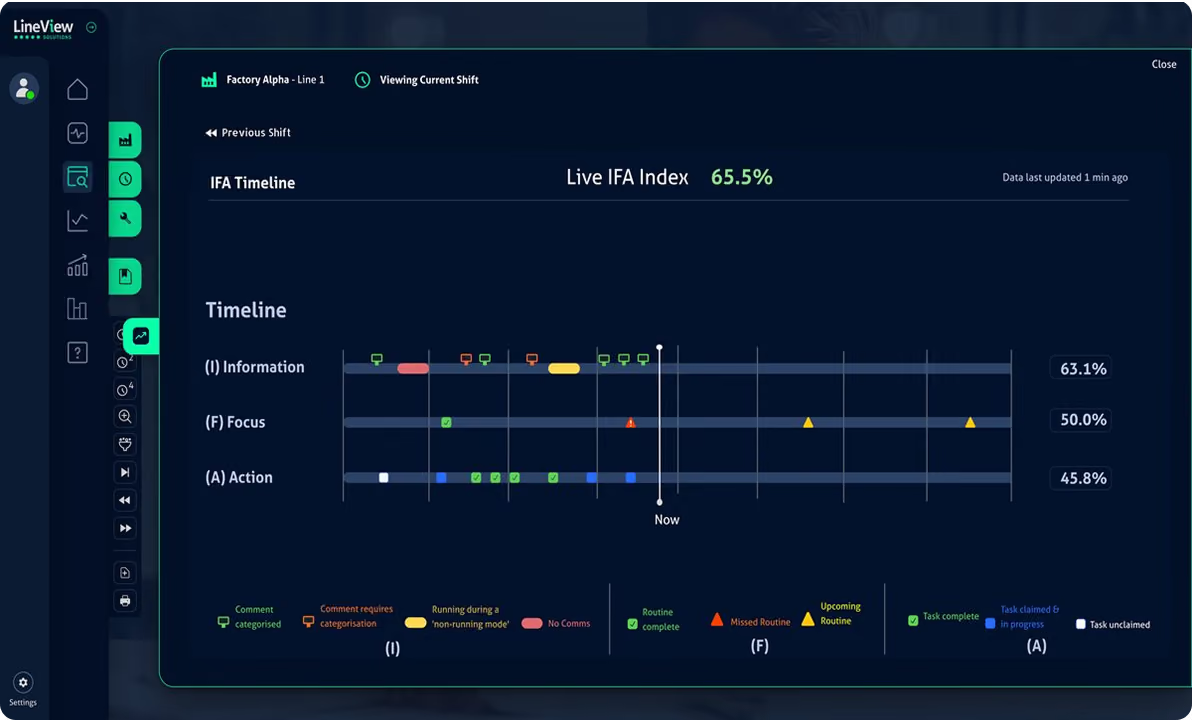
Le cadre IFA évalue l'exécution des quarts selon trois dimensions : Information (les événements sont-ils saisis avec précision ?), Focus (les équipes travaillent-elles sur les bonnes priorités ?) et Action (les tâches d'amélioration sont-elles terminées ?). L'indice IFA combine ces trois éléments en un score unique, rendant la qualité d'exécution comparable entre les équipes, les lignes et les sites.

Score de l'indice IFA
Un score composite mis à jour en temps réel tout au long du quart. Les équipes voient immédiatement si elles sont performantes ou si elles dévient, avant que le quart ne se termine et que l'opportunité de corriger ne soit perdue.

Chronologie IFA
Une chronologie visuelle montrant, tout au long du quart, si la saisie d'informations, la concentration et les actions sont conformes ou en retard. Les superviseurs peuvent identifier le moment exact où la qualité d'exécution a chuté et le corréler avec les événements survenus sur la ligne.

Tableau de bord IFA du site
Comparez les scores IFA entre les sites, les lignes et les équipes. Là où les pratiques sont solides, le TRS a tendance à suivre. Cette vue rend cette relation visible et permet aux responsables d'identifier précisément où concentrer le coaching.

Corrélation IFA vs TRS
Analysez la corrélation entre les scores d'exécution des quarts et les résultats de TRS au fil du temps. Les équipes qui obtiennent régulièrement plus de 70 % à l'IFA présentent généralement une variabilité de performance nettement moindre d'un quart à l'autre.
Next Best Action
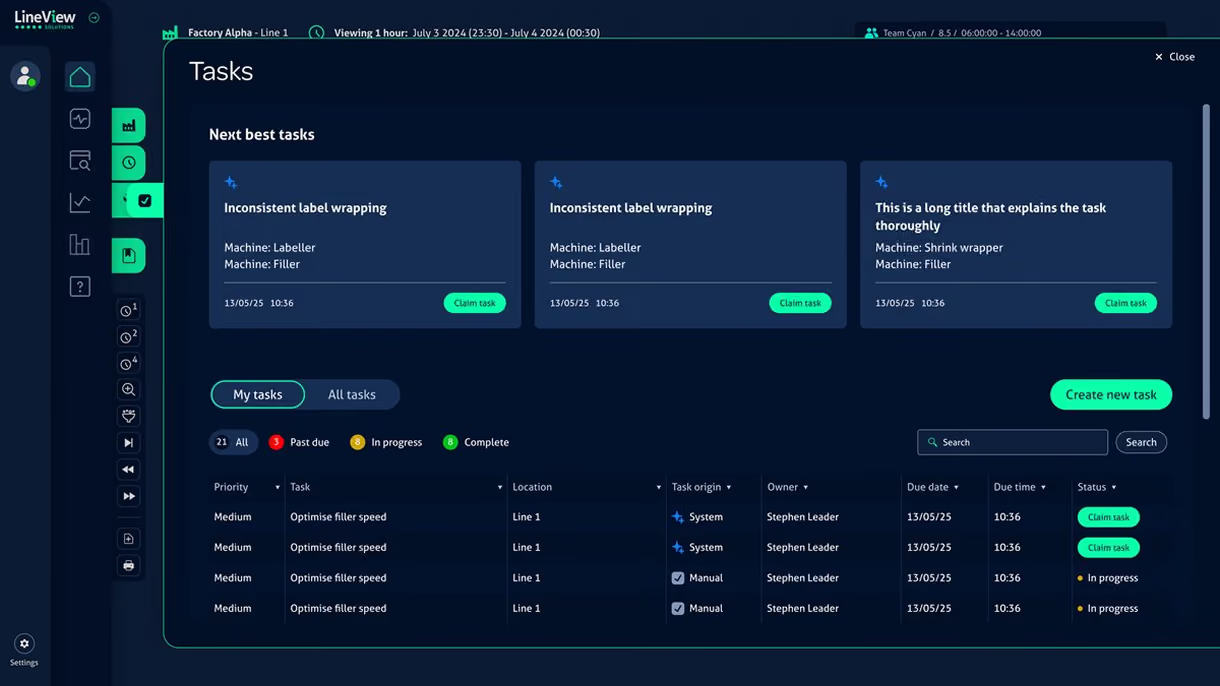
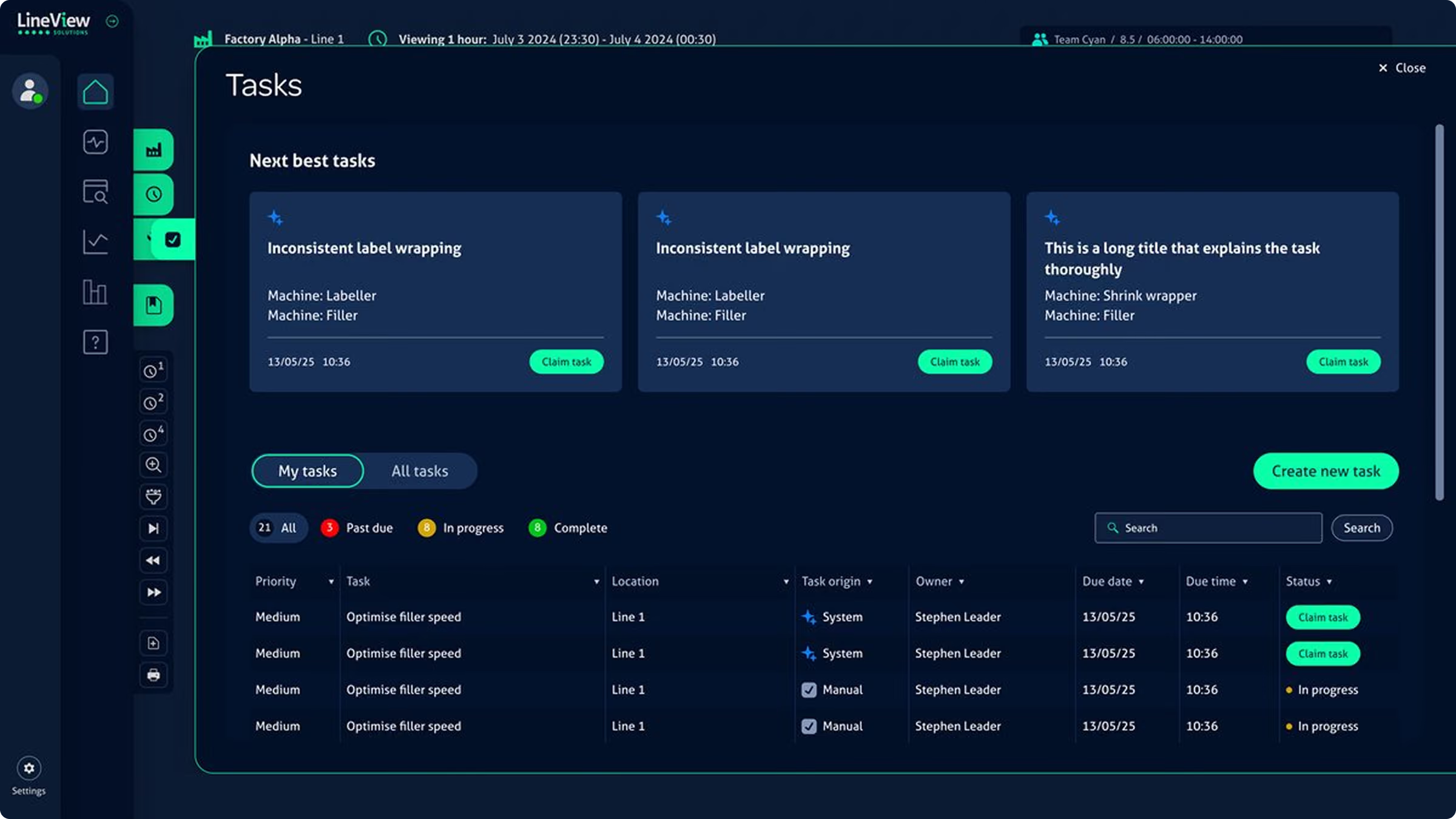
Instead of asking teams to interpret live data and decide what to prioritise, SmartWorker surfaces the single highest-impact action automatically — based on what is happening on the line right now, the role of the person asking, and what has worked in similar situations before.
Automatic Priority Surfacing
SmartWorker analyses live loss patterns, MTBF changes, and causal events to identify the actions most likely to recover output this shift. Updated continuously as conditions change.
Role-Tailored Recommendations
An operator's Next Best Action is different from an engineer's. SmartWorker filters recommendations by role, so nobody is shown tasks outside their scope or expertise.
Task Claiming & Completion
Team members claim tasks, update progress, and mark completion, all within SmartWorker. Leaders see live task status without chasing updates across shifts.
Escalation Routing
When a loss pattern exceeds normal team scope, SmartWorker routes an escalation automatically, to the engineer, the maintenance lead, or the line manager, based on the type of event.
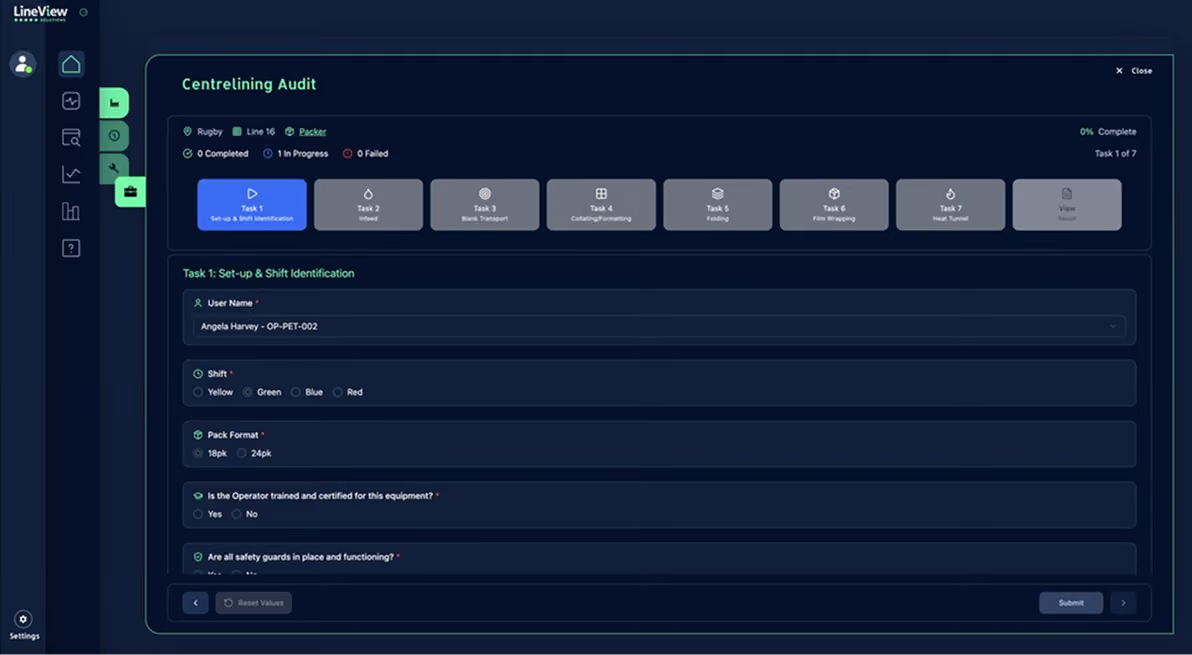
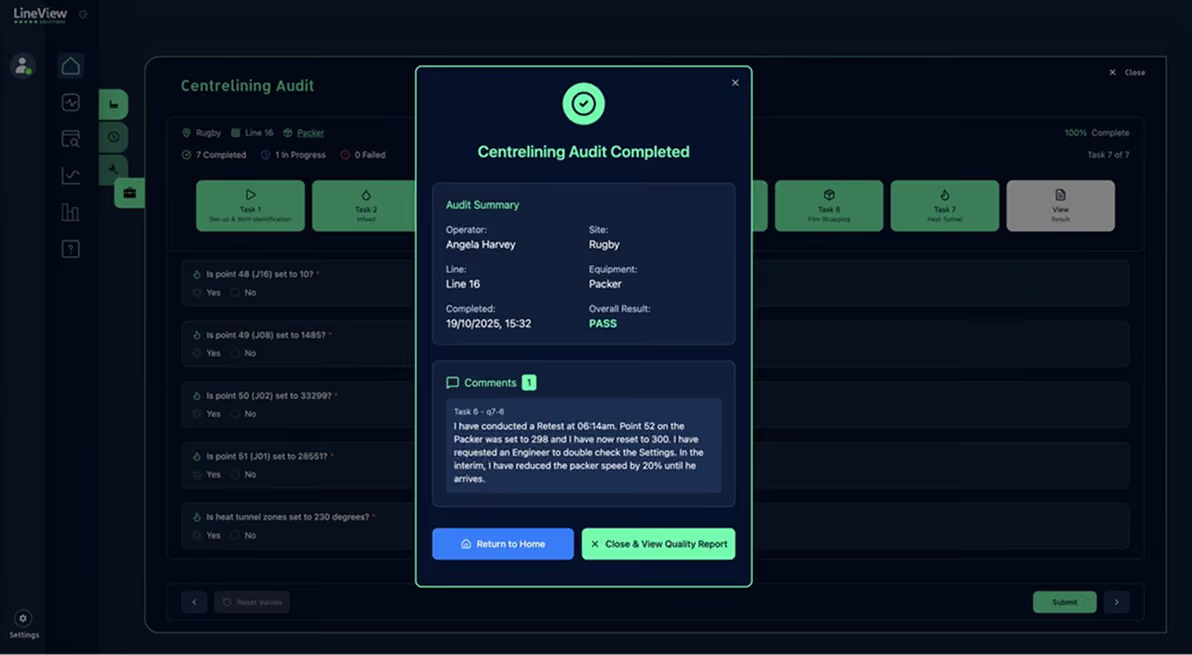
Guided Digital Workflows
Instead of asking teams to interpret live data and decide what to prioritise, SmartWorker surfaces the single highest-impact action automatically — based on what is happening on the line right now, the role of the person asking, and what has worked in similar situations before.

Site IFA Scorecard
Micro-stoppages under 30 seconds rarely appear in manual logs. Navigator captures every one directly from PLC signals, then ranks their cumulative impact. On most lines, this is where the biggest recoverable capacity sits.

Engineering & Maintenance Dashboards
Equipment fault history, stop frequency by machine, MTBF trends, and failure patterns, giving engineering teams the evidence to shift from reactive maintenance to scheduled intervention.
Usage & Engagement Analytics
Track how Navigator is being used across your organisation, which screens are accessed, by which roles, how frequently. Low engagement on a specific site or module is usually a signal for targeted coaching, not a data problem.

CIL & Autonomous Maintenance
Guided cleaning, inspection, and lubrication workflows for operators, building TPM capability without relying on engineering availability for every check.

Daily Review
A navigator-connected daily review workflow pre-populated with overnight performance, open tasks, and the top three priorities for the shift ahead.
Safety, Gemba & 5S Audits
Safety checks, GMP audits, and Gemba walk workflows, digital, time-stamped, and logged against site and line data.
Chat, Messaging & Team Coordination
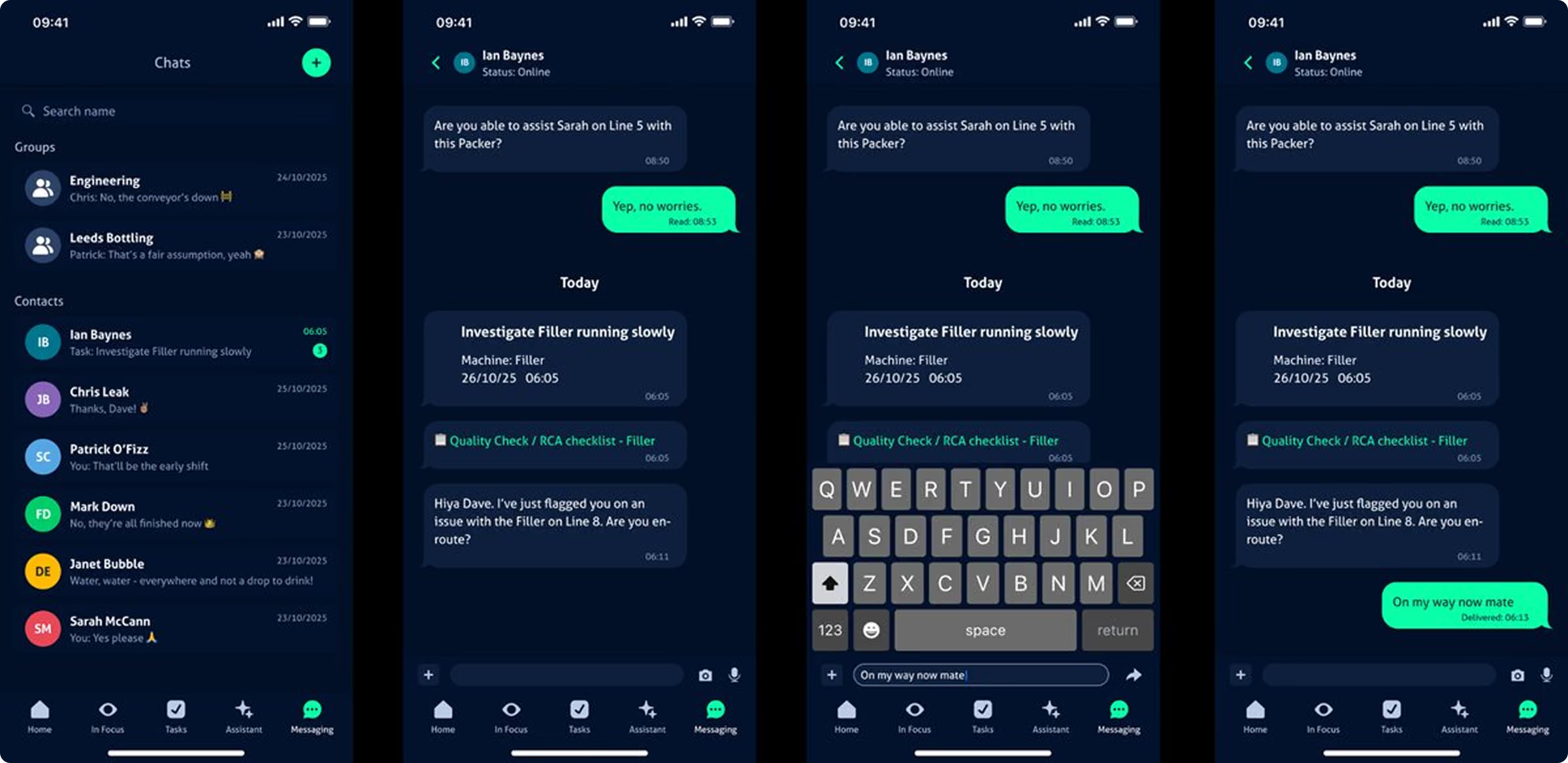
Conversations about production should be anchored to production data. SmartWorker's messaging sits inside the same platform as Monitor and the task list, so when someone flags a filler problem in chat, the event data is right there.

Group Chat & Direct Messaging
Group channels for engineering, production, and maintenance. Direct messages between individuals. No switching to a separate messaging app mid-shift.
Media Attachments
Attach photos of fault conditions, short video clips of mechanical issues, audio notes, or documents to any message. Context travels with the conversation.

Real-Time Alerts
Automated alerts for causal losses, abnormal machine behaviour, and threshold breaches, delivered in-app and on mobile. Bluetooth headset support for hands-free notification on the floor.

Cross-Shift Continuity
Conversations and tasks persist across shift changes. The incoming crew sees what was flagged, what was escalated, and what's still open, without a manual briefing.
Mobile Application
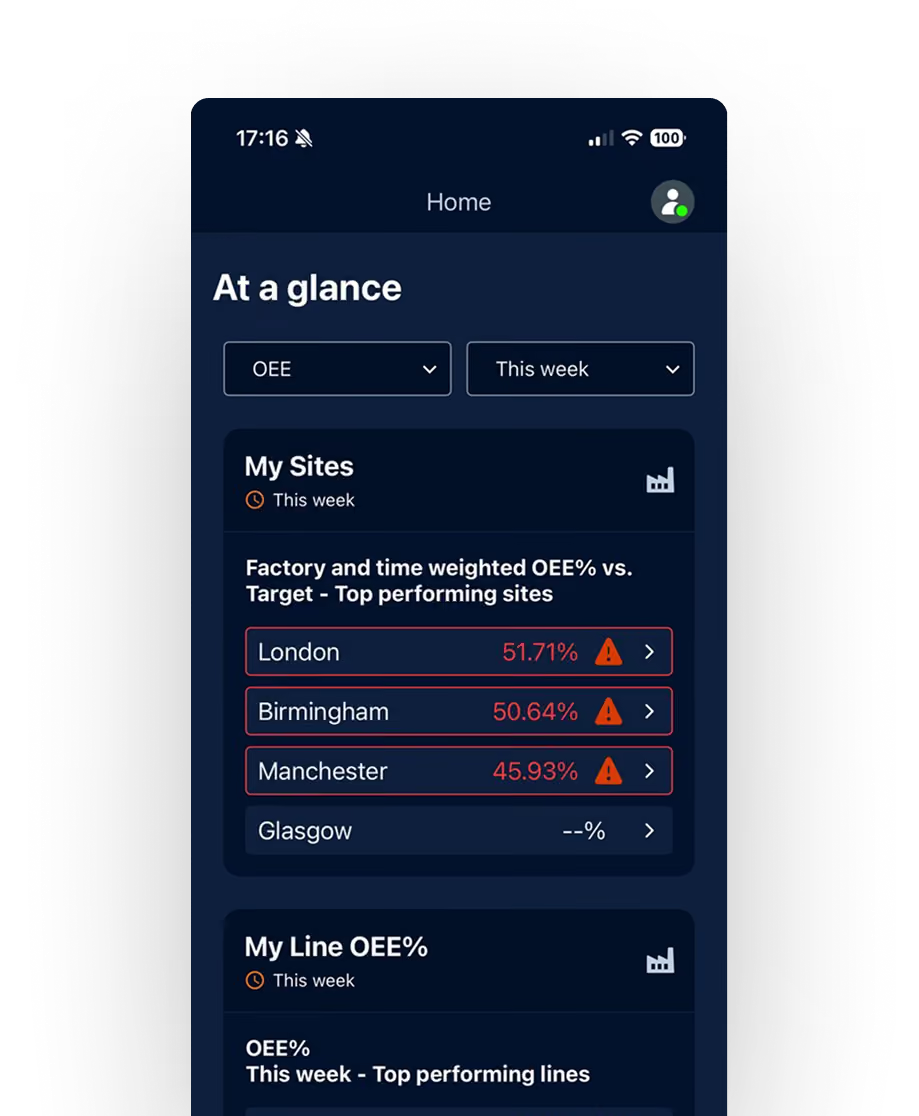
SmartWorker is available as a native iOS application, giving shop floor teams access to live performance data, tasks, workflows, and chat without being tied to a fixed terminal.

Live KPIs on Device
OEE, causal loss pareto, and shift status at group, site, and line level. Available offline where connectivity is limited.

Full Task Management
The complete Next Best Action task list on device. Team members claim tasks, update status, and attach evidence from the floor without returning to a terminal.

Multilingual Support
SmartWorker supports multilingual interfaces for global plants, same workflows, same standards, each team's preferred language.